From my work testing AI tools, I've witnessed that team collaboration has made strides.
Gone are the days of clunky emails and scattered communication. AI makes it much simpler to get organized and manage tasks, giving teams more space to be creative.
But countless options can easily lead you into the trap of marketing noise and flashy features. So, I tested a variety of these tools as an expert tool tester. While some offer little gains, others significantly enhance teamwork.
So, in this write-up, I’ll share the best AI team collaboration tools based on my hands-on testing.
What You Should Look For in an AI Team Collaboration Tool?
Here are five essential factors to keep in mind when choosing the best AI tool for team collaboration:
Ease of Use
An intuitive interface is crucial for quick adoption. Team members should be able to navigate the tool with minimal effort, reducing the learning curve.
Moreover, customizable dashboards help teams set up their workspace according to their workflow.
Integration Capabilities
The best collaboration tools integrate smoothly with the tools your team already uses. It ensures seamless information flow across platforms.
Tools that connect with popular apps improve communication. Check how many integrations the tool supports and how easy it is to set them up.
Collaboration and Communication
Real-time collaboration matters, especially for remote teams or those across time zones.
Choose tools with instant messaging, video calls, and shared document editing. These features enable team members to communicate well and stay aligned without delays.
Task and Project Management
Powerful task and project management features are essential to stay organized. Seek tools that enable task creation, deadline setting, and progress tracking.
Features like Gantt charts and Kanban boards offer a clear view of your projects. A robust project management system can improve productivity and support timely project completion.
Software Website Reviews
Visit review platforms like G2 and Capterra to assess the quality of the collaboration tools. These sites collect user reviews and ratings.
Looking at real experiences provides insights into the software's strengths and weaknesses. Prioritize tools with high ratings and good feedback on usability and customer support.
6 Best AI Tools for Team Collaboration
Edraw.AI: Best for Collaborative Brainstorming
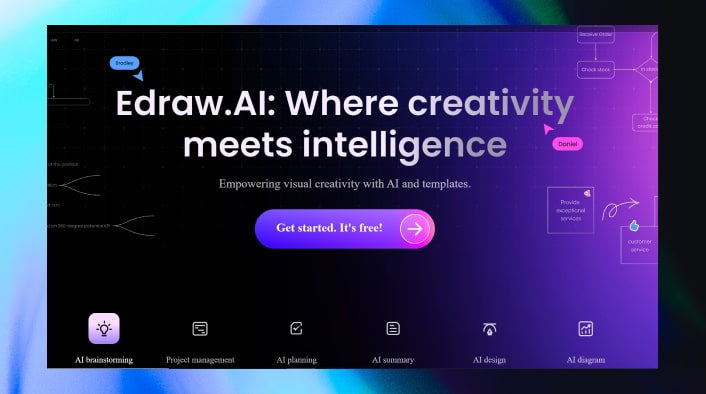
Edraw.AI excels at turning group brainstorming into visual maps that everyone can follow. It turns abstract ideas into visual plans to help teams collaborate in real time, developing ideas faster. Its simple design and various templates make it easy to use, even for beginners. And since it works on any platform, everyone can join.
Features
- Real-Time Team Collaboration: Multiple team members can simultaneously work on the same map, making instant changes from anywhere globally.
- Multi-Platform Access: It supports all major platforms, including Windows, Mac, Linux, iOS, and Android. This allows easy collaboration across devices, whether on desktop or mobile.
- Massive Template Collection: There's something for every project, helping teams get started with 6,000+ templates and plenty of shapes and symbols.
- Outline Mode for Structure: Switch from a visual mind map to a structured outline for a different way to view your content.
- AI Mind Map Creation: Its AI can quickly turn a simple prompt into a full mind map, perfect for tackling complex topics.
Pricing
- Free Plan: Limited features.
- Annual Plan: $59/year. 10,000 AI tokens, unlimited topics, export/print without watermark, 2GB cloud storage.
- Lifetime Plan: $99. Lifetime access, 10GB cloud storage, and free upgrades.
Rating
G2: 4.5/5.0 (10+ Reviews)
Capterra: 4.6/5.0 (50+ Reviews)
ClickUp (Brain): Best for AI-Powered Task Management
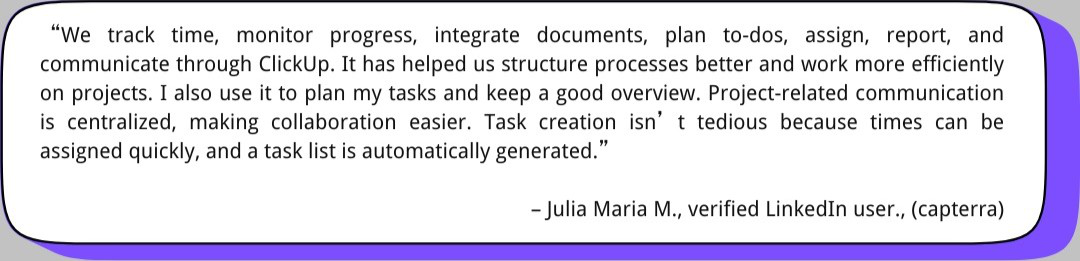
ClickUp has expanded its capabilities with ClickUp Brain, an AI-powered suite of features. It’s now a smart workspace where teams can use AI to manage tasks, reducing manual work. It boosts communication and lets you focus on your goals by automating repetitive tasks.
Features
- AI Knowledge Manager: Provides a central space for team info. You can ask questions naturally and get instant answers from tasks or team conversations.
- AI Project Manager: Automates project tasks like creating updates and action items from notes. It helps break down goals into subtasks.
- AI Writer for Work: This AI tool assists in drafting emails, notes, and documents. It can summarize long content and check spelling to enhance clarity in your writing and conversations.
- Role-Specific AI Tools: It offers tailored tools for roles like marketing or project management. Each tool is designed to streamline your tasks and improve results.
Pricing
- Free Plan: Limited features suit personal use. But, it doesn’t include AI features.
- Unlimited ($7/user/month): Best for small teams with full AI, unlimited tasks/projects, integrations, dashboards, and 24/7 support.
- Business ($12/user/month: Advanced AI, time tracking, goals, custom reports, priority support.
Rating
G2: 4.7/5.0 (9,800+ Reviews)
Capterra: 4.6/5.0 (4200+ Reviews)
User Review
Asana: Best for Visual and Intuitive Collaboration
Asana, known for its solid project management tools, now brings Asana AI. It helps you automate routine work, offering practical suggestions based on your project activity.
Features
- AI Writing Assistant: It gives writing suggestions to improve task descriptions, updates, and communication.
- AI Task Creation: Asana AI converts meeting notes, emails, and briefs into tasks, reducing your manual workload.
- AI Task Prioritization: It ranks tasks by deadlines and goals, ensuring you work on what’s urgent.
- AI Meeting Summaries: It summarizes key points and action items from your meetings, making follow-up simple.
Pricing
- Free Plan: Suitable for individuals and small teams.
- Starter: $10.99/user/month (annually) or $13.49/user (monthly). Fit for growing teams.
- Advanced Plan: $24.99/user/month (annually) or $30.49/user/month (monthly). Best for big companies.
Rating
G2: 4.4/5.0 (10,000+ Reviews)
Capterra: 4.5/5.0 (12000+ Reviews)
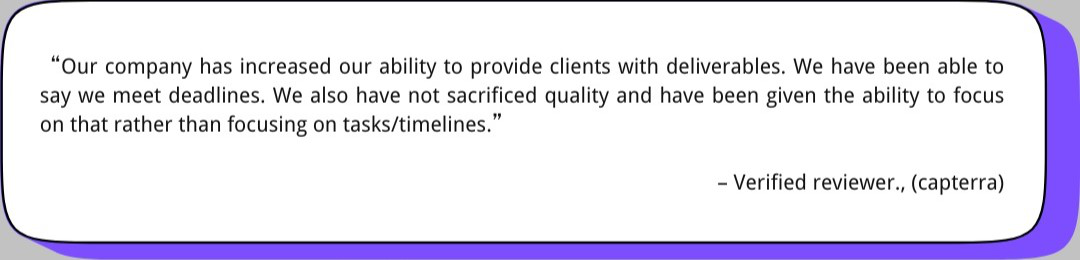
User Review
Notion AI: Best for a Centralized and Versatile Workspace
Notion AI, integrated into Notion, is like a smart assistant in your workspace. It lets you organize your thoughts, generate ideas, write content, and summarize main points. Whether brainstorming for projects, drafting blogs, or understanding complex documents, it makes your work more effective.
Features
- Smart Document Processing: Notion AI can analyze files like PDFs and images, extract details, and summarize content. It can also answer your questions and create actionable plans.
- Workspace Search: Find answers fast with a search that scans your entire workspace and connected apps. It's perfect for keeping projects on track and finding important information.
- AI Chat: Using advanced models like GPT-4, it lets you chat naturally about anything. You can also turn your conversations into Notion pages for easy reference or teamwork.
- Tailored Writing Support: You can improve your writing while preserving your style with Notion AI. It offers edits, suggestions, and feedback that keep your content true to your voice.
Pricing
Notion AI is an add-on to any Notion plan:
- Monthly Billing: $10/user/month.
- Annual Billing: $8/user/month (20% discount).
Rating
G2: 4.7/5.0 (5000+ Reviews)
Capterra: 4.7/5.0 (2000+ Reviews)
User Review
Slack AI: Best for Making Meetings More Productive
Slack AI is built into the platform to enhance teamwork. Using team knowledge, it can summarize long conversations, highlight important details, and answer questions. It helps streamline work, keeps everyone productive, and prevents information overload.
Features
- AI-Powered Search: Ask questions naturally and get direct answers with links to the right Slack messages. No need to scroll endlessly for essential info.
- Thread Summaries: You can get the main points without reading every message by summarizing long threads.
- Channel Recaps: Stay updated with scheduled daily recaps for notable channels. Perfect for catching up on busy channels.
- Automated Note-Taking: It handles meeting notes, capturing key points and decisions while you focus on the conversation.
- Third-Party Integrations: You can connect Slack AI with your tools to streamline tasks. Access research, create content, or find files without leaving Slack.
Pricing
- Free Plan: $0/month, without Slack AI Add-on.
- Pro Plan: (with 50% off) $4.38/user/month.
- Business+ Plan: $15/user/month.
Rating
G2: 4.5/5.0 (33000+ Reviews)
Capterra: 4.7/5.0 (23000+ Reviews)
User Review
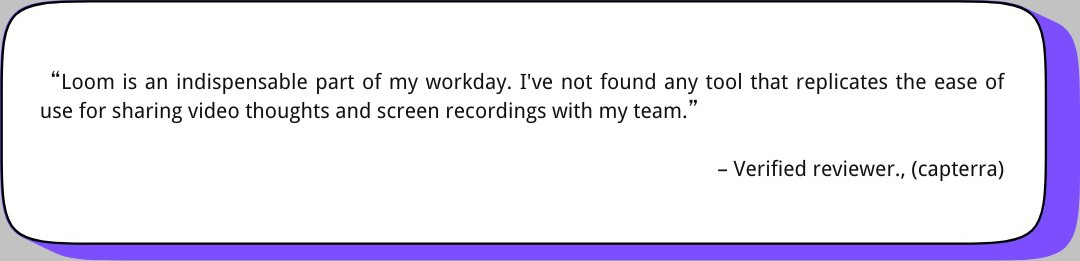
Loom: Best for Teams Relying on Video Communication
Initially just a video messaging app, now Loom is a comprehensive AI-powered platform built for collaboration. It helps remote and hybrid teams turn video messages into simple summaries or tasks. With AI handling the details, teams can focus more on working together and being productive.
Features
- Auto Titles, Summaries, and Chapters: It instantly analyzes your videos to provide accurate titles, summaries, and chapters, creating a well-structured format.
- Filler Word and Silence Removal: It eliminates filler words and silences, focusing on clarity in videos for tutorials or presentations.
- AI Workflows: With Loom AI, your videos become more valuable with different format options like text documents, messages, or bug reports. It can be synced directly with tools like Jira.
- Auto Tasks and CTAs: Identify essential attributes in your video to automatically generate call-to-action buttons for meetings, forms, or tasks.
- Language Support: Loom AI supports over 50 languages, catering to a diverse range of users.
Pricing
- Starter: Free, without advanced AI features.
- Loom AI: Get advanced AI features at $4/user/month (billed annually) or $5/user/month (billed monthly).
Rating
G2: 4.7/5.0 (2000+ Reviews)
Capterra: 4.7/5.0 (400+ Reviews)
User Review
Final Thoughts
| Feature | Edraw.AI | ClickUp (Brain) | Asana | Notion AI | Slack AI | Loom |
| Primary Function | Collaborative brainstorming and mind mapping | AI-powered task management | Visual project management and collaboration | Centralized workspace with AI assistance | Enhancing meeting productivity | Video communication and collaboration |
| Key AI Features | AI mind map creation, real-time collaboration | AI Knowledge Manager, AI Project Manager, AI Writer | AI writing assistant, AI task creation, AI task prioritization, AI meeting summaries | Smart document processing, workspace search, AI chat, tailored writing support | AI-powered search, thread summaries, channel recaps, automated note-taking | Auto titles, summaries, chapters; filler word removal; AI workflows; auto tasks and CTAs |
| Best For | Visualizing ideas, brainstorming, and collaborative planning | Automating tasks, centralizing knowledge, and improving communication | Streamlining workflows, prioritizing tasks, and enhancing communication | Organizing thoughts, generating ideas, writing content, and summarizing information | Summarizing conversations, finding information, and taking meeting notes | Simplifying video communication, generating summaries, and creating tasks |
| Pricing (starting) | Free | Free (AI features require a paid plan) | Free | $10/user/month (add-on) | Free (AI features require a paid plan) | Free |
| User-Friendliness | High | Moderate | High | High | Moderate | High |
In a nutshell, I found three key things when reviewing AI tools for collaboration.
- EdrawMind’s drag-and-drop feature, paired with many templates, makes it easy to use.
- AI also works better when humans get involved, as seen in ClickUp and Asana.
- Integration – Slack AI and Airtable blend smoothly into existing setups.
Ultimately, the best tool will depend on your team’s needs. Try them out and find the one that helps your team work smarter, not harder.

 Recent Articles